

 Multi Function Displays
 Radars
 Fish Finders & Transducers
 GPS & Chart Plotters
 Autopilots
 Navigation
 Sonars
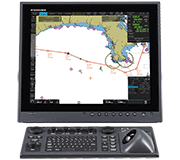 Commercial
NavNet TZT14 Camera Cycle

Question
I have several cameras connected to an AXIS server which is also connected to the HUB101. I have no problem seeing all four cameras on any of the TZT screens. My problem is that I selected the cycle option and then checked all four cameras. The cycle command did cycle all four cameras, but now I cannot uncheck the cycle command. To stop the cycling of the cameras, I have to uncheck each individual camera. The cycling then stops but the cycle command bar is still checked, but grayed out. How do I uncheck the cycle command bar?
Solution
The interaction you describe is the correct behavior of the RotoKey on the NavNet TZT camera page.
When the Cycle Config. is set, the Cycle menu can be selected by RotoKey to switch camera images on one screen, but the [Cycle] menu cannot be deactivated unless another camera source is selected. When there is no setting in the Cycle Config. menu, the Cycle menu cannot be selectable. The icon will be grayed out.
Basically, once you have a cycle working, if you want a single image, just turn the RotoKey and select the video source you want not under cycle config. It will then go to that single source. That action will automatically unselect the cycle config items and gray out cycle, until you wish to setup another cycle config.